> ## Documentation Index
> Fetch the complete documentation index at: https://docs.yapily.com/llms.txt
> Use this file to discover all available pages before exploring further.
# Yapily Pay By Link UI screens
> Visual reference for Yapily Pay By Link screens. See the payment link landing page, institution selection, authorisation, and payment confirmation screens.
Pay By Link is available as a [Private Beta version](/getting-started/overview#private-beta).
Please contact your Customer Success Manager if you would like to access it.
***
## UI screens
Pay By Link includes 1 additional UI screen. All remaining UI screens when the user has selected to 'pay by bank' are the same as for [Hosted Pages](/tools-and-services/hosted-pages/ui-screens).
### Landing page
Displays a summary of the payment details and allows the user to 'Pay by Bank'.
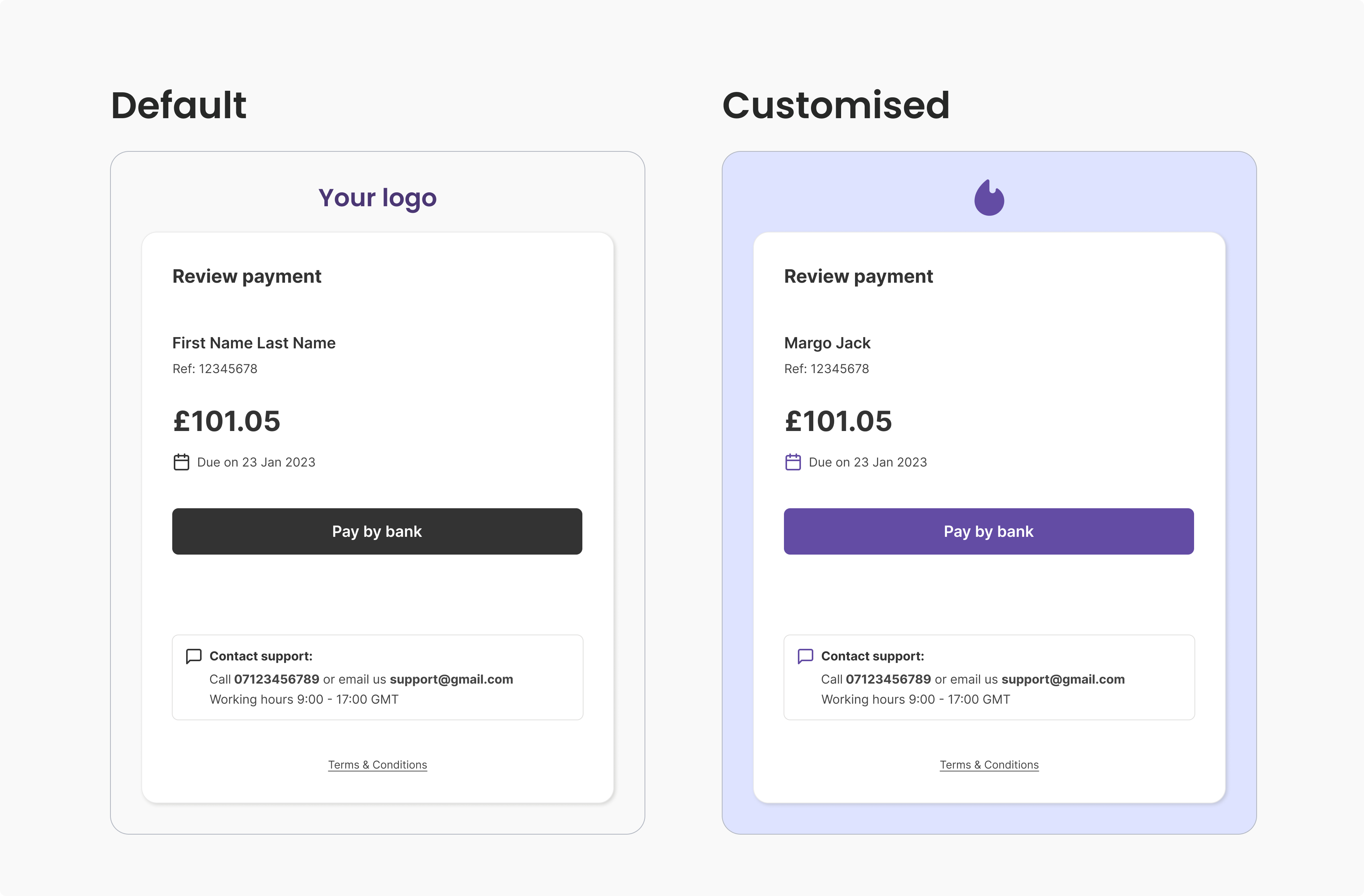 The following payment details are displayed to the user when they are provided when generating the payment request link:
* Customer name
* Collection amount
* Payment due date (optional)
* Payment Reference
The following details can also be displayed to the user for all payments, depending on your UI customisation:
* Customer support details and opening hours
* Terms & Conditions
***
## UI customisation
See [Hosted Pages UI customisation](/tools-and-services/hosted-pages/ui-screens#ui-customisation) for the available options.
The following payment details are displayed to the user when they are provided when generating the payment request link:
* Customer name
* Collection amount
* Payment due date (optional)
* Payment Reference
The following details can also be displayed to the user for all payments, depending on your UI customisation:
* Customer support details and opening hours
* Terms & Conditions
***
## UI customisation
See [Hosted Pages UI customisation](/tools-and-services/hosted-pages/ui-screens#ui-customisation) for the available options.